
Managing Editor
@ShahidNShah
@ShahidNShah
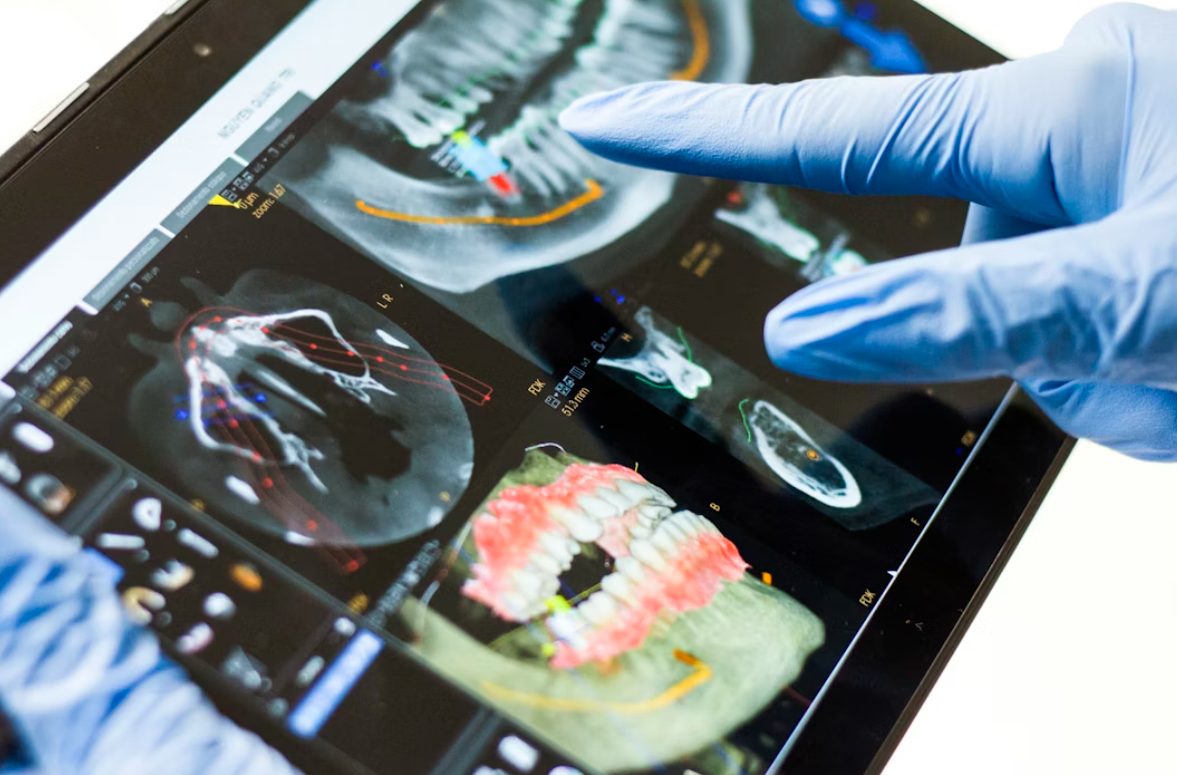
From the outside looking in, a dentist’s office does one thing: it takes care of dental health. But behind the scenes, dental practices juggle treatment, scheduling, insurance, patient communication, imaging, payments, and other day-to-day operations—all at the same time.
For most offices, the right tools can lighten that load. This is why choosing the best dental practice management software has become a strategic decision rather than a simple tech upgrade. Today’s platforms go beyond basic scheduling and charting. They help practices reduce administrative friction, support patient engagement, and create a smoother experience from the first call through follow-up care.
In this guide, we’ll look at what truly matters when evaluating software, compare leading options, and highlight where each system stands out so you can identify the platform that fits your clinic’s workflow and long-term goals.
Dental software touches nearly every part of a practice’s daily workflow, so the evaluation process should focus on how well a platform supports both your team and your patients. The goal is to find a platform that reduces friction and moves through appointments with fewer obstacles. These areas can help guide the decision:
Finding the right platform can feel overwhelming when every vendor promises smoother workflows and happier patients. Instead of sorting through buzzwords, it helps to look at how each system actually fits different types of practices. Some excel at cloud simplicity, others give established offices a reliable on-premise setup, and a few stand out for customization or multi-location support. Here’s a closer look at the options that consistently perform well and what they’re genuinely best suited for.
Best for Established Practices
Dentrix has been a long-standing favorite among dental offices seeking a full suite of front-office, charting, full treatment-planning, imaging interfaces, and insurance tools in one place. Its depth makes it a solid match for practices with established workflows and teams who already know their way around traditional desktop systems.
Because it’s locally hosted, some clinics find it less flexible than cloud-first platforms, especially when they want remote access, simpler updates, or lower long-term IT overhead.
Best for Cloud Simplicity
Curve Dental appeals to practices that want a clean, modern platform without hardware maintenance or complicated installs. Everything lives in the browser, which makes scheduling, charting, billing, and imaging tools easy to access from any location. Its simple interface is a major advantage for teams who want to get up and running quickly.
For practices used to heavy customization or deep on-premise control, the streamlined design may feel more structured than flexible, but for most clinics, that simplicity works in its favor.
Best for Customization and Flexibility
Open Dental is a strong fit for clinics that want more freedom to tailor their software. With transparent pricing, open architecture, and an extensive set of configuration options, it gives power users room to shape workflows, templates, and reports to match their preferences.
Practices that enjoy hands-on control often gravitate toward it for that reason. The flip side is that the flexibility can require more setup time and technical comfort, especially for teams who prefer a plug-and-play system.
Best for Multi-Location and DSO Scalability
Denticon is built with growth in mind. Multi-location groups and DSOs rely on its centralized dashboards, shared records, and real-time reporting to keep every office aligned. Because it’s fully cloud-based, teams can work from any location without worrying about server maintenance or version mismatches.
If your practice operates under one roof, the enterprise-level structure may feel more complex than what they need, but for growing organizations, that structure is exactly what keeps everything consistent.
Best for DSO Growth
CareStack is designed for practices that expect to grow or already manage multiple providers or locations. Its cloud-native platform brings scheduling, charting, billing, imaging integrations, analytics, and patient engagement tools into one environment.
For DSOs or fast-scaling clinics, having everything connected helps teams move through tasks with fewer handoffs and less duplication. Smaller practices can still benefit from the unified setup, though the breadth of features may feel heavier than what a single-location office needs day to day.
Best for Established Practices Using On-Premise/Legacy Systems
Eaglesoft has been a dependable choice for years, especially for practices that have long relied on on-premise software. Its feature set covers the essentials—scheduling, charting, imaging, billing, and insurance tools—and many teams appreciate its familiarity. Because it’s rooted in legacy infrastructure, the interface can feel dated compared to modern cloud platforms.
Practices interested in remote access, automatic updates, or lighter maintenance may find the transition to newer systems appealing, but Eaglesoft remains a stable option for clinics that prefer a traditional setup.
Best for Smaller Practices
ACE Dental works well for clinics that want an approachable system without the complexity of enterprise-level software. Its interface keeps scheduling and front-office tasks straightforward, making onboarding fast for smaller teams. The platform focuses on practical features that support daily operations without overwhelming users with tools they may not need.
Larger or growing practices might eventually outpace its capabilities, but for many single-location offices, the simplicity is exactly what keeps the workflow smooth.
Best Integrations for Patient Communication and Practice Growth
Dental teams spend a huge part of their day talking with patients—answering questions, confirming appointments, following up on treatment plans, and handling payments. Weave helps bring all of that communication into one place by connecting directly with the PMS a practice already uses. Calls, texts, reminders, scheduling, reviews, and payments show up in a single view, which makes it much easier for front-desk staff to keep track of what each patient needs.
For many clinics, this setup removes a lot of the small but time-consuming tasks that slow down the day. Missed calls are easier to return, patients get the reminders they’re expecting, and teams don’t have to jump between separate tools just to follow a conversation thread.
Because Weave layers on top of existing software, practices don’t have to switch systems to offer a more modern, convenient patient experience—it’s simply a way to make the tools they already rely on work together more smoothly.
Patients start forming opinions about a dental office long before treatment begins. Convenience, responsiveness, and clear communication influence whether they feel confident booking, and whether they come back. When those early touchpoints work well, the entire visit feels easier for both patients and staff.
Modern practice management platforms support this by offering tools that help patients stay informed and connected. A few features make an especially big difference:
Practices that pair their PMS with communication-focused tools, such as Weave, often see fewer missed appointments and smoother handoffs because everything ties back to a single patient record. This kind of consistency helps teams spend more time on care and less time on follow-up logistics.
Choosing new dental software is only half the work. How a practice rolls it out has a major impact on how quickly the team feels confident using it. Most challenges come from the same places: unclear onboarding steps, limited staff training, or hidden add-ons that complicate the setup more than expected.
A smoother rollout usually starts with a phased approach. Some practices begin with scheduling or billing first, then expand to charting or analytics once the team gets comfortable.
Bringing staff into the decision early also helps people adapt faster when they understand why the change is happening and how it supports their day-to-day work.
Clear metrics make the transition easier to evaluate. Practices often track outcomes like reduced no-shows, faster claim turnaround, or fewer manual follow-up tasks during the first few months. If something isn’t improving after 90 days when you conduct a review, it becomes easier to pinpoint where the workflow needs adjusting.
Support responsiveness from the vendor matters here too; accessible guidance can shorten the learning curve and prevent small issues from slowing the entire team down.
Dental software is shifting toward tools that give practices more flexibility, clearer insights, and smoother patient interactions. A few trends are becoming especially important:
Choosing dental software is really about choosing how your practice operates every day. The right platform frees your team from the bottlenecks that slow patient flow, keeps communication moving, and supports growth without creating extra steps.
Clinics that approach this decision with clarity about how they and how their team prefer to work tend to spot the right fit quickly. As you explore new tools, look closely at how each system handles the moments that matter most: booking, reminders, treatment planning, claims, and patient follow-up.
The platforms in this guide offer strong options across those needs, and complementary tools like Weave help round out the experience by strengthening communication and tying every interaction back to the patient record.
If you’re moving toward a new setup, start with a simple audit of your current workflows, build a shortlist, and schedule a few demos. You’ll quickly see which tools support your practice as it is today and which ones can help you operate the way you want tomorrow.


Mental health care has become an essential part of readiness, resilience, and long-term well-being for active duty service members, veterans, and their families. As awareness grows around conditions …
Posted Dec 16, 2025 Mental Health
Connecting innovation decision makers to authoritative information, institutions, people and insights.

Medigy accurately delivers healthcare and technology information, news and insight from around the world.
Medigy surfaces the world's best crowdsourced health tech offerings with social interactions and peer reviews.
© 2026 Netspective Foundation, Inc. All Rights Reserved.
Built on Mar 13, 2026 at 1:38pm